.avif)
Watch short tutorials, find answers to common questions, or report an issue.
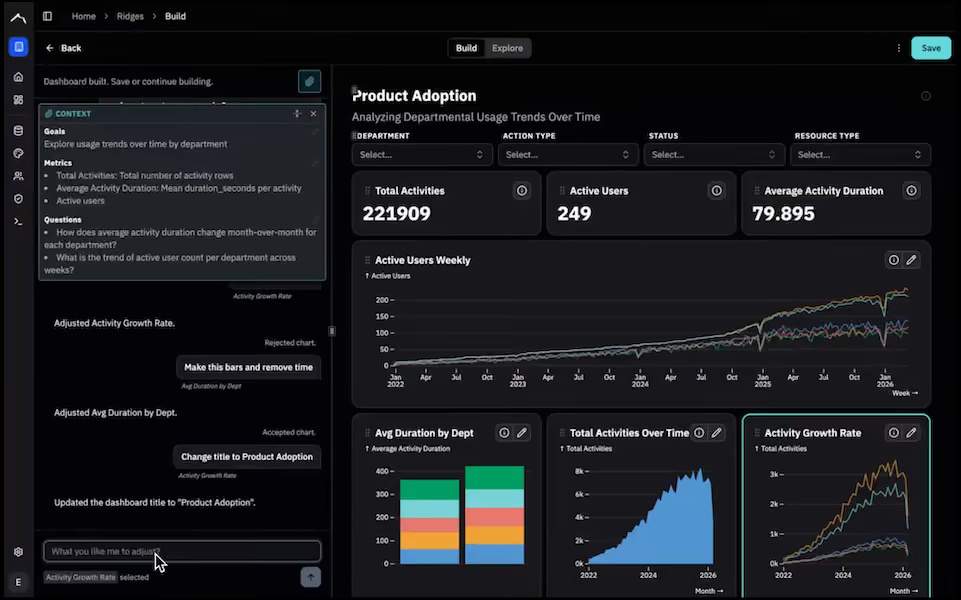
How to build a dashboard in Ridge. Covers
3:30
Covers using the Transform Agent for
0:40
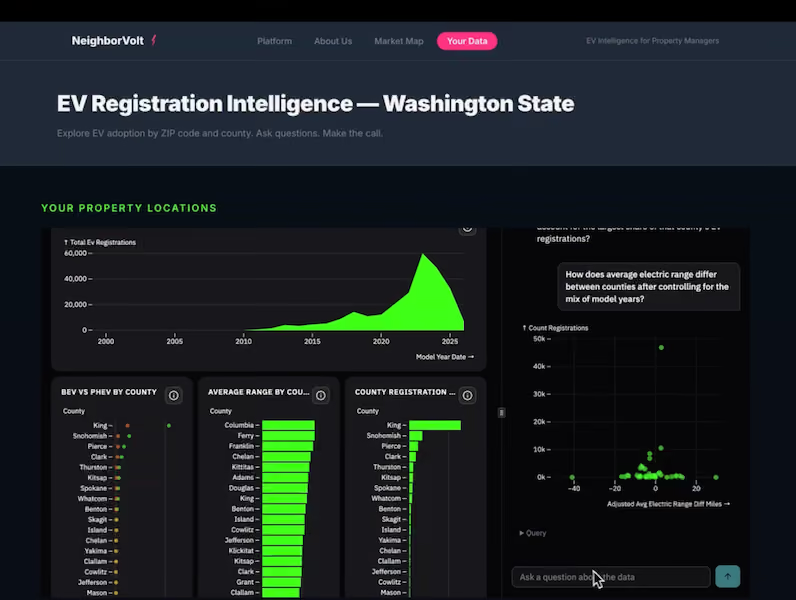
Covers embedding via:
0:51
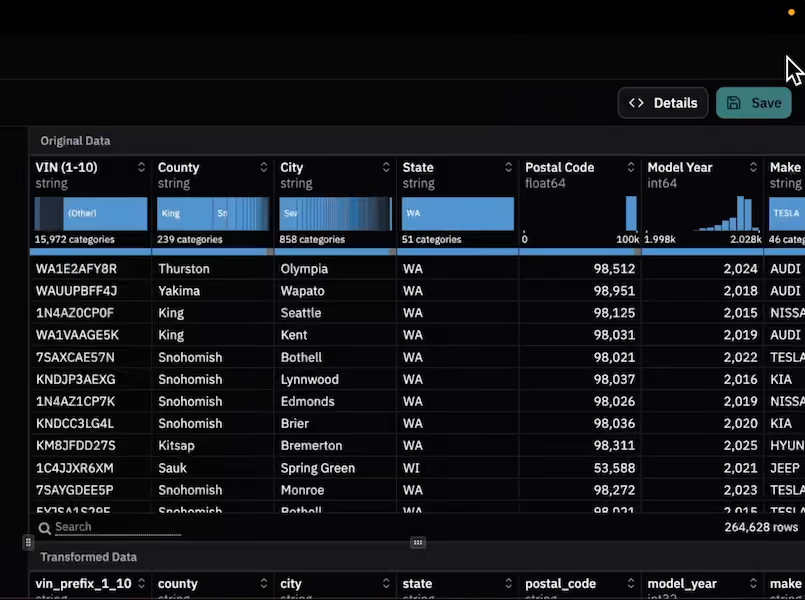
At the highest level, you connect to a data set, build a Ridge, Explore it, then embed it in your product or on the web for your users to explore.
You don't need to know a lot about how to work with data. You only need to know what business questions you want to ask.
Ridge's agents help you at each step:
While LLMs will build you a dashboard, they might not build one that answers your question. And if they do, you next have to worry about:
And should you get all of that right, you next need to think about deployment:
If you're worrying about all of that, you're likely not spending enough time on your core product. The opportunity cost of taking on all these problems at once is lost time and focus.

A Ridge is a data experience consisting of one dashboard and a paired Data Agent that work together for a single use case (such as sales or usage data). A Ridge is backed by a single Dataset.
The paired structure of the Ridge combines two distinct functions: The Dashboard provides visual sense-making, giving users a high-level understanding of the data's shape and key metrics. The Data Agent acts as a natural language exploration tool, allowing users to ask free-form follow-up questions and solve the long tail of specific queries that aren't explicitly visualized on the dashboard. Linked interactivity means that either can respond to filters or selections in the other, extending the exploratory power of both the dashboard and Data Agent.
By bundling these two elements into a single instance, businesses can quickly give their customers both structured insights and the freedom to independently explore data. This also solves the dashboard proliferation problem of traditional BI tools, where a new dashboard must be built to answer every single customer request.
In addition, by constraining the Data Agent to only the dataset backing that specific dashboard, the quality of results is better because it's more focused. You can be sure that the data the customer sees is correct and relevant, rather than exposing all your data.

To build a Ridge, click "Add Ridge" on the Home screen or Ridges page. The Build Agent will walk you through the process of building. See the help video above for a detailed walkthrough.
If you want custom theming, set that before you begin in "Theme" on the left hand nav.
If you have the Editor role, you can edit your dashboard or regenerate a new one:

Set the refresh schedule in the Dataset.
Refresh is available for Datasets with Data Connections only, not uploads.

Set the partition field in the Dataset.
Keep in mind:

Ridge supports enterprise data sources including:

They are related:
Only Datasets that come from Data Connections (not files) can be refreshed or partitioned.

Ridge is designed to sit on top of your existing data stack, not replace it. We think your data semantics are better centralized across your data stack, rather than locked up in dashboards. This is a major philosophical change from the last generation of tools.
Ridge is a pluggable, interoperable data presentation layer. We're focused on improving the human-data interface. By specializing in data presentation, we can do it better than if we tried to do everything.

When you embed a Ridge in your site, the flow for end users looks like this:

Navigate to "Theme" on the left-hand navigation in the Ridge app. Then either
Once set, the custom colors will be used in new dashboard builds and Data Agent sessions.
Resetting will reset the palette to the default colors.

iFrame embedding is the simplest approach. Just generate an embed token, copy the iFrame link, and put that code in your website code, wherever you want your embedded visualization. Ridge will track the embed tokens for each Ridge so you can reuse or delete them.
Server-based embedding uses JWT for authentication and requires some server-side code. The major advantage of server-based embedding is that it automatically authenticates your end-users when they navigate to an embedded Ridge and therefore allows you to partition data by whatever field you choose (usually account ID or customer ID). This means data stays secure and every end-user sees only their own data.
Both are found in the Ridges