

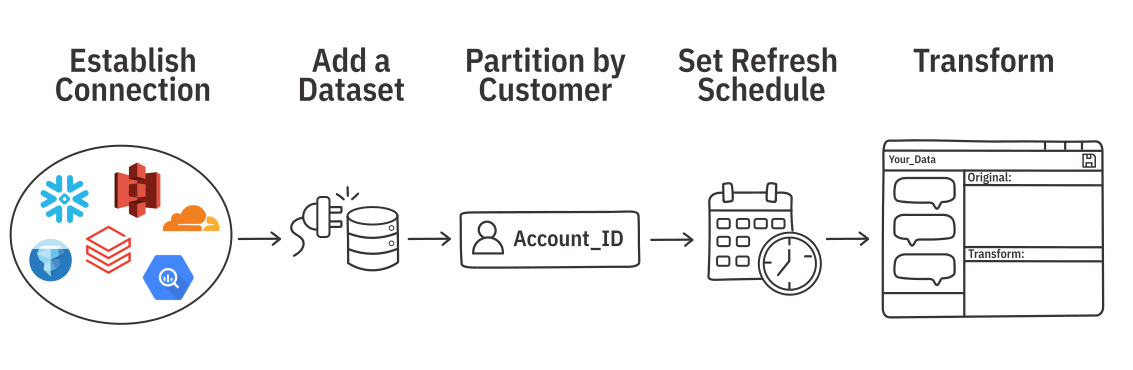
Ridge AI act as a omposable analytics layer that seamlessly integrates with a company's existing infrastructure. Rather than forcing users to define a complicated new data model or build a proprietary semantic layer, Ridge is designed to respect and work directly alongside any existing storage, transform, and governance layers.
This architecture allows organizations to simply connect to their data and get started, while Ridge handles the heavy lifting of managing authentication, maintaining the connection, and refreshing the data. Ultimately, this approach enables you to leverage your current data stack without the need to build or maintain redundant shadow data infrastructure.
Ridge supports data refresh and partitioning for Data Connections (enterprise data sources like Snowflake, Databricks, S3 and most databases).
Ridge supports enterprise data sources. Click into any for specific setup instructions.
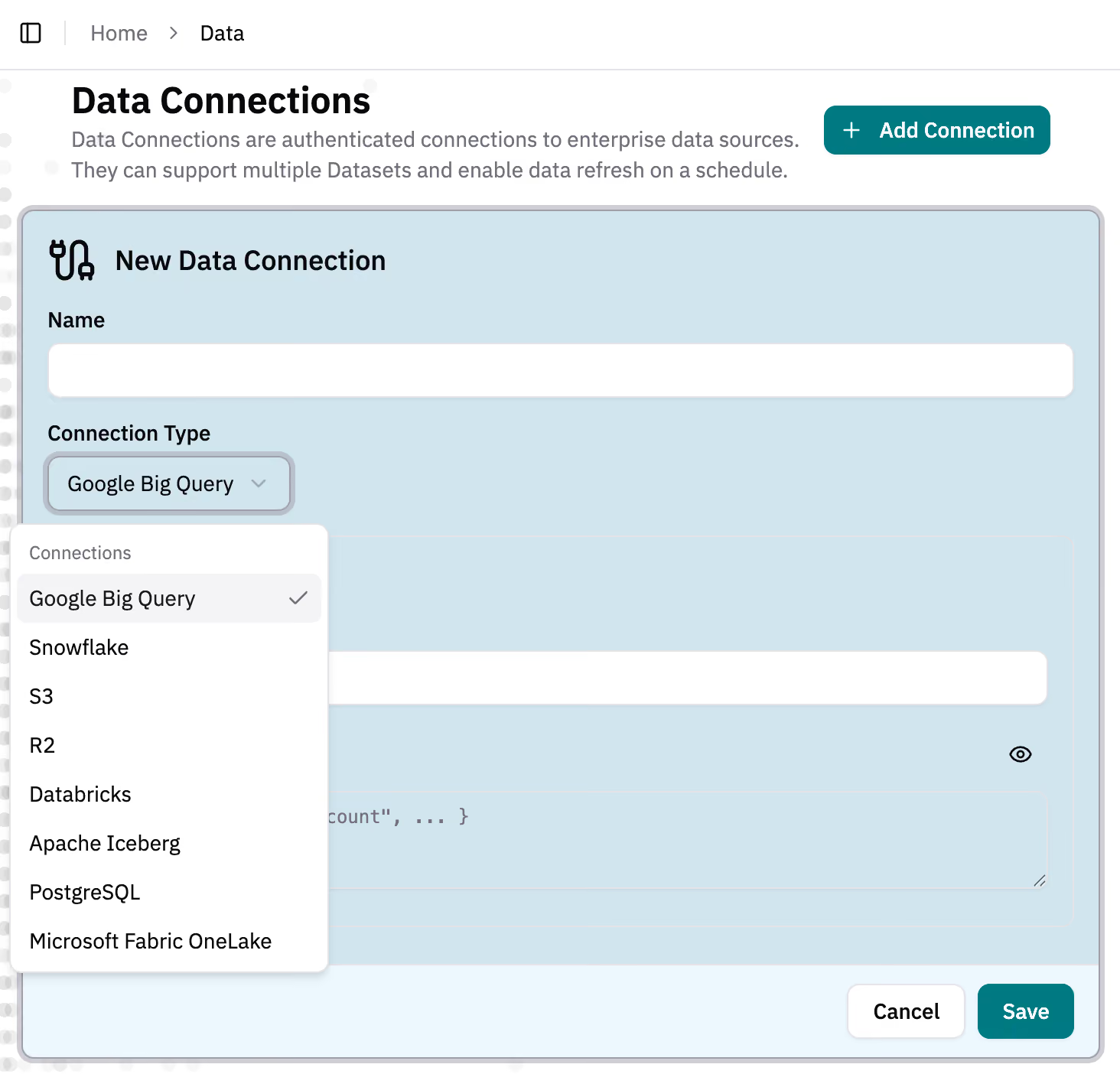
Establish a connection to a data source to create Datasets that can refresh or partition data.
You can also work directly from a file upload.
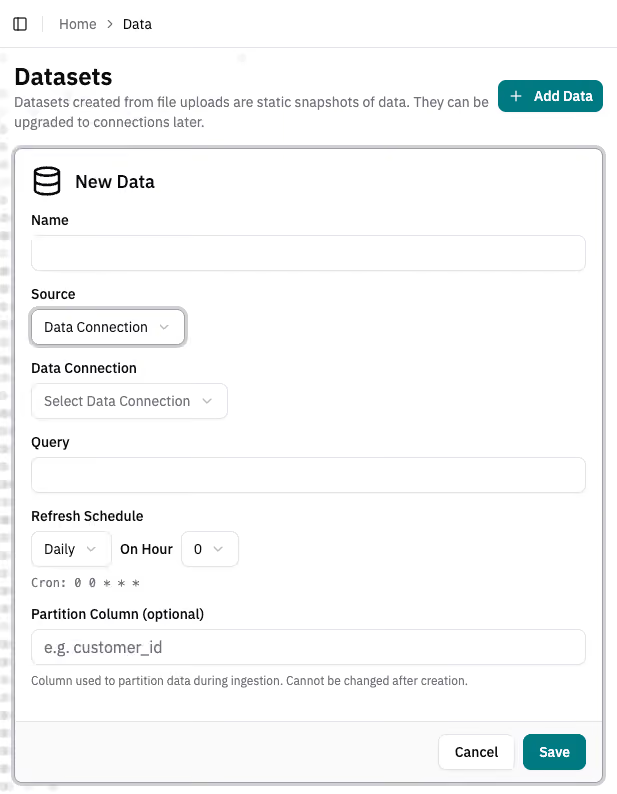
Datasets are the data backing a dashboard and data agent in Ridge. Datasets can come from Data Connections or file uploads. Note that file uploads cannot refresh automatically or partition data.
If your dataset has a Data Connection, you can set a schedule to ingest and refresh the data.
If every customer needs to see their own slice of the data, set a partition field in your Dataset-- typically on fields with unique identifiers like account_id.
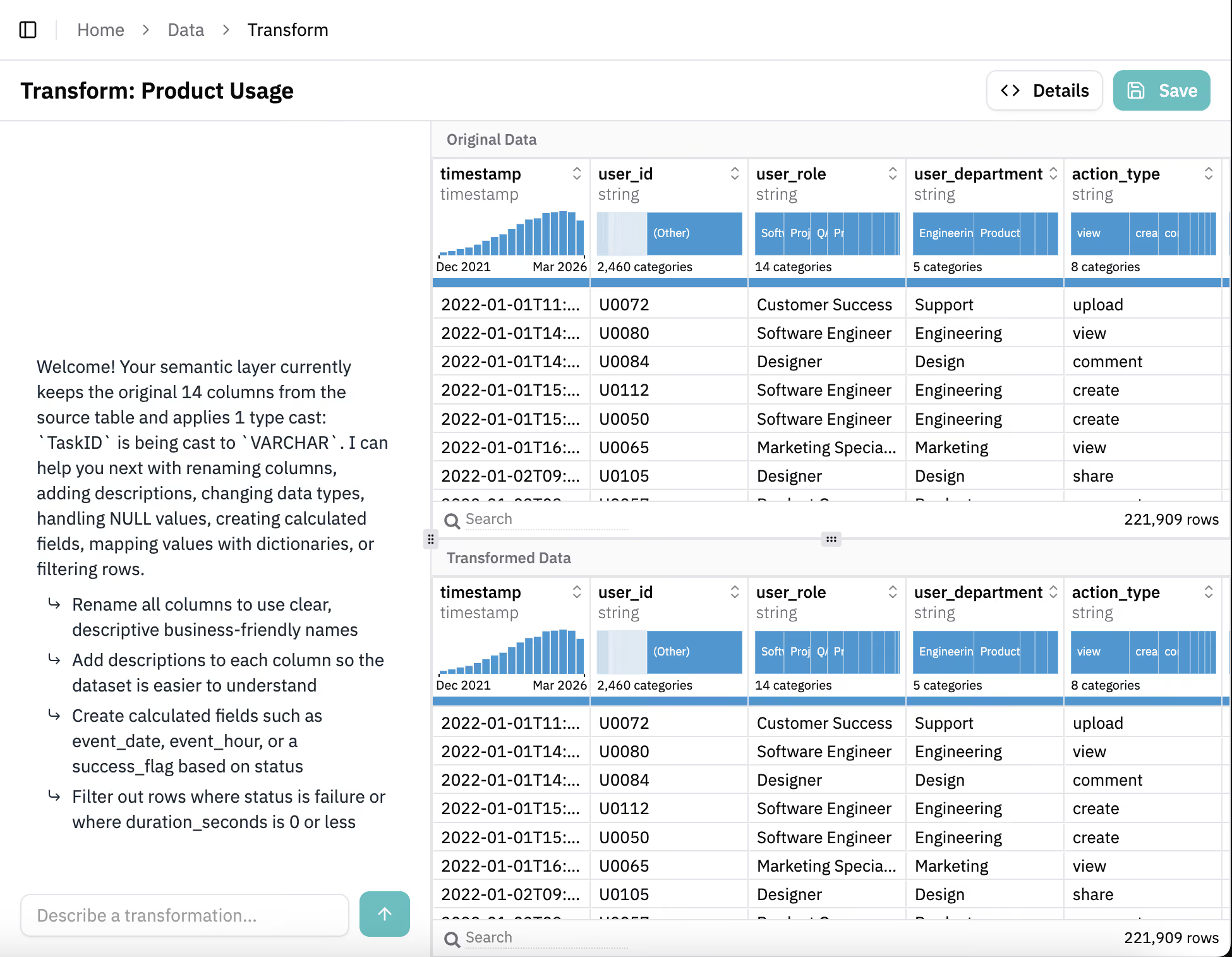
The Transform Agent supports light data transforms like type casting, applying Dataset-level filters, and column renaming. It's available for any Dataset on the Data page.
The Details button shows you all transforms that have been applied.