

Build & Deploy Analytics with the Ridge MCP
Connect Ridge to Claude or ChatGPT and build analytics in plain language.

A hosted MCP server for Ridge
MCP (Model Context Protocol) is the open standard AI assistants use to work with other tools. Ridge hosts its own MCP server, so your assistant can work with your organization's Datasets and Ridges.
Nothing to install
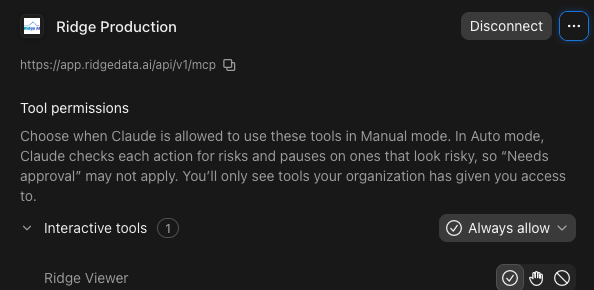
Add Ridge as a connector in Claude or ChatGPT and sign in. There's nothing to install and no server to maintain.
Build, edit, and deploy
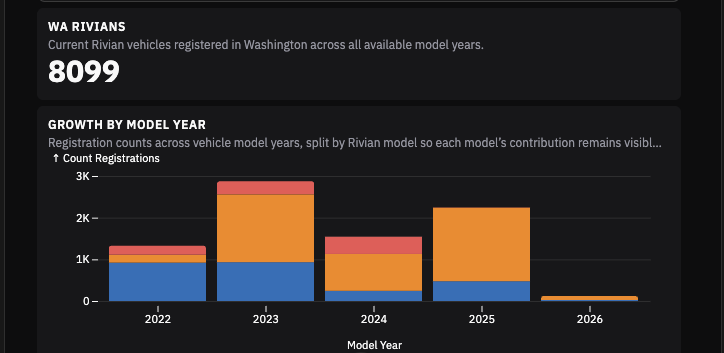
Spin up Ridges whenever you need them. Publish to create durable, shared, performant analytics. Each Ridge comes with a data agent for follow-up questions.
From question to published Ridge in three steps
Connect
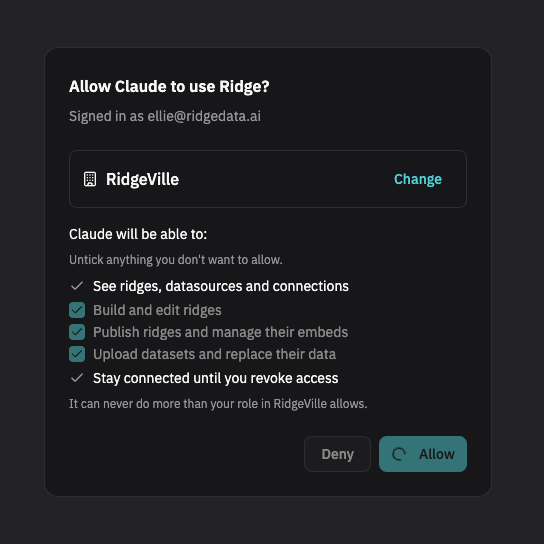
Add Ridge to Claude or ChatGPT from the Ridge Home screen. Sign in, choose your organization, and choose what your assistant is allowed to do.
Describe
Tell your assistant who the Ridge is for and what they need to decide. It briefs the Build Agent and answers its questions, asking you only what it can't work out.
Review and publish
The draft opens in your chat with live, interactive charts. Ask for changes, then publish when it's ready for your organization's viewers.
Claude, ChatGPT and your own tools
The Ridge MCP works with Claude (Claude Desktop, Claude.ai and Claude Code), ChatGPT, and local MCP clients on your own machine. Assistants that support MCP Apps, such as Claude Desktop, display the dashboard interactively right in the conversation. Assistants with a shell, such as Claude Code, can also upload Datasets for you.
What you can do from a chat
Use Ridge as you prep data and take action from your favorite AI assistant.

List your organization's Datasets and Ridges, and get a summary of any Ridge's charts, KPIs and filters.
Hand your assistant a CSV, JSON or Parquet file and it loads it into Ridge.
The Build Agent profiles the data, chooses the charts and lays out the Ridge using visual best practices.
"Add a filter by region." Each change is saved as a new version.
Ridges display inline with live charts. Expand to full screen or open in Ridge.
Embed via an iFrame or Javascript to get a Ridge on your own site. The Embed SDK provides rich interactivity with the host site.
Safe, transparent and permissioned
When you connect, you choose the access to grant: read, build and change Ridges, upload Datasets, and publish. Nothing the Ridge MCP does deletes anything, and replacing Dataset is flagged so your assistant asks first. Every connected assistant is listed on your Ridge account page, where you can disconnect it at any time.
Coming soon to the Ridge MCP
We're adding to the Ridge MCP quickly. Coming soon: building from a Dataset with a semantic model, partitions, and creating and editing Data Connections. We're also adding skills to help you prep your data. Until then, do these in the Ridge application.